
open sourceWINDOWS · PYTHON · OPEN SOURCE
PyForge
turning a Python script into an EXE should not require remembering a wall of PyInstaller flags.
a Windows tool that makes Python packaging understandable without pretending the underlying build process does not exist.
one button on top. a suspicious amount of validation underneath.
what it is
A Windows desktop app that makes Python-to-EXE packaging understandable instead of mysterious.
oct 15, 2025: Published the Windows tool that turns Python scripts into shareable executables through a guided workflow.
the annoying bit.
i got tired of explaining how to turn a python script into an exe.
so i put the annoying parts behind a GUI without hiding what PyInstaller is doing.
what was actually wrong.
Sharing a Python tool should not require memorising PyInstaller flags, chasing hidden imports, or debugging an environment before the actual work begins.
what i actually built.
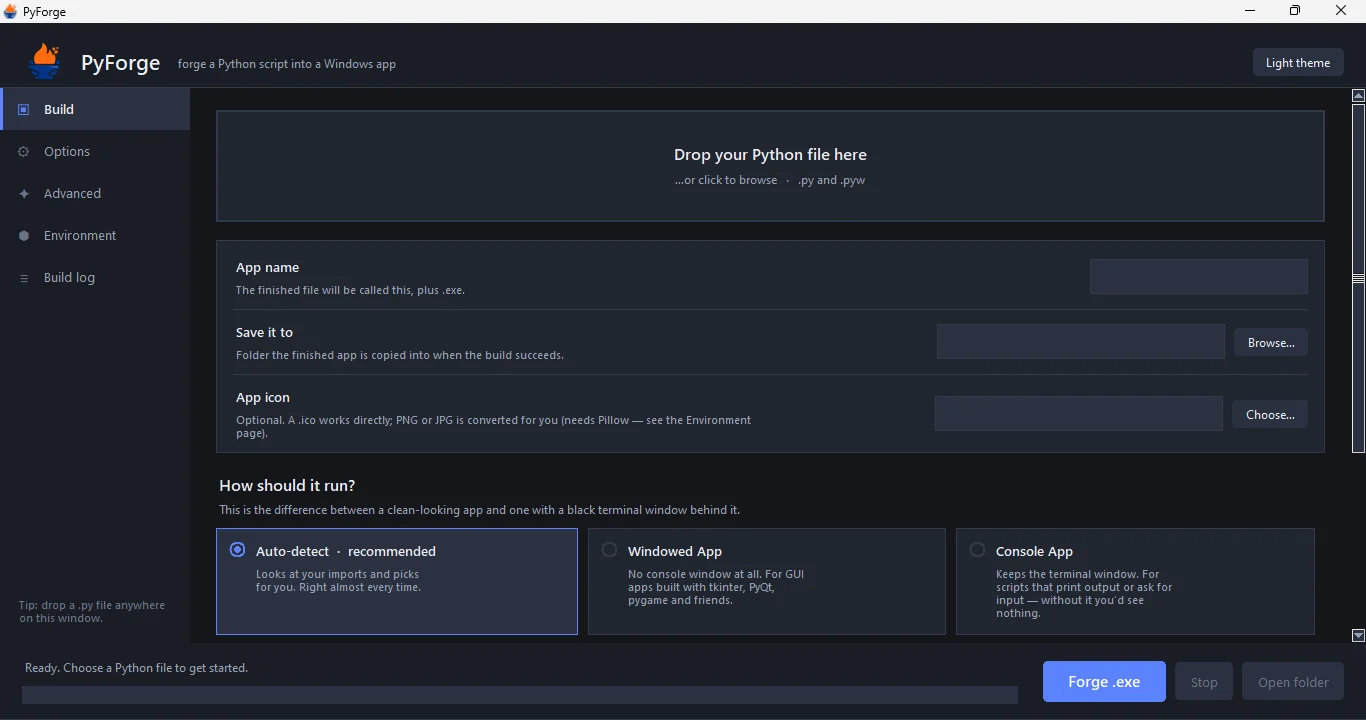
A drag-and-drop interface handles sensible detection, plain-language choices, static project checks, guided environment repair, advanced controls, and a live log that shows the exact process.
important detailsthe technical bits.
- Drag-and-drop input with automatic name, path, entry-point, and mode detection
- Static project analysis that never executes the selected source
- Pre-build checks for paths, permissions, disk space, icons, data, and accidental secrets
- Build history, reusable configurations, duration tracking, and comparison
- Hidden imports, data files, exclusions, splash screens, UPX, and version metadata
- Environment checks, guided repair, exact command preview, and a complete build log
countedactual numbers.
- tests
- 96
what workedwhere it is now.
A developer can drop in a script, review the defaults, press Forge, and still understand what is happening underneath.
what is still not donethe honest bit.
statusPyForge is portable; creating a new executable still requires Python on the build machine.
stackbuilt with.
- Python
- Tkinter
- PyInstaller
- Windows
- UPX
- Pillow